



Enhancing Stability, Usability, and Safety Management Efficiency
As part of our continuous commitment to improving the PEER platform, we are pleased to share the December 2025 system updates. This release focuses on system stability, usability enhancements, and stronger safety workflow support, particularly within HSE Inspection, PTW, and core platform performance.
Below is a summary of the key improvements and fixes delivered this month.
Release Notes v1.50.1-2
Bug Fixes
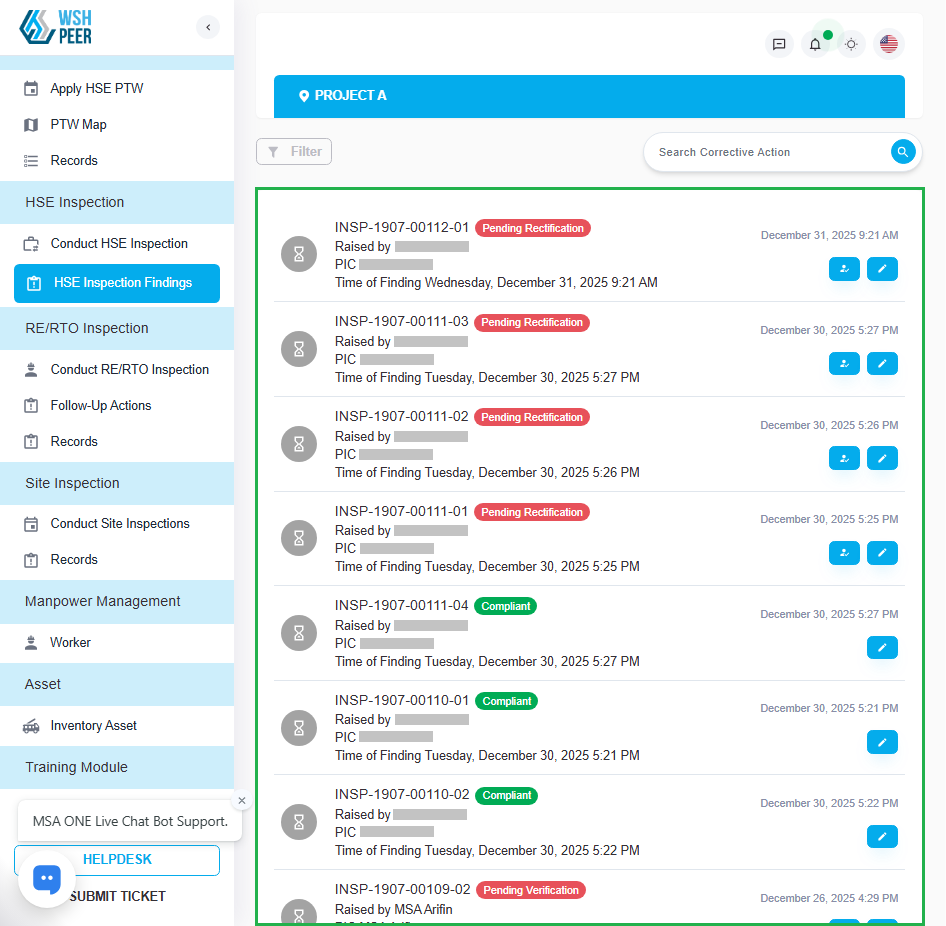
HSE Inspection Findings: Corrected findings list view when ‘Grid List’ option is disabled
In the previous PEER version, findings were not displayed when the “Grid List” option was disabled. This update fixes the issue.
Info:
The HSE Inspection Finding page has two display modes:
- Grid List (enable): displays findings in a two-column table layout
- Grid List (disable): displays findings in a vertical list from top to bottom
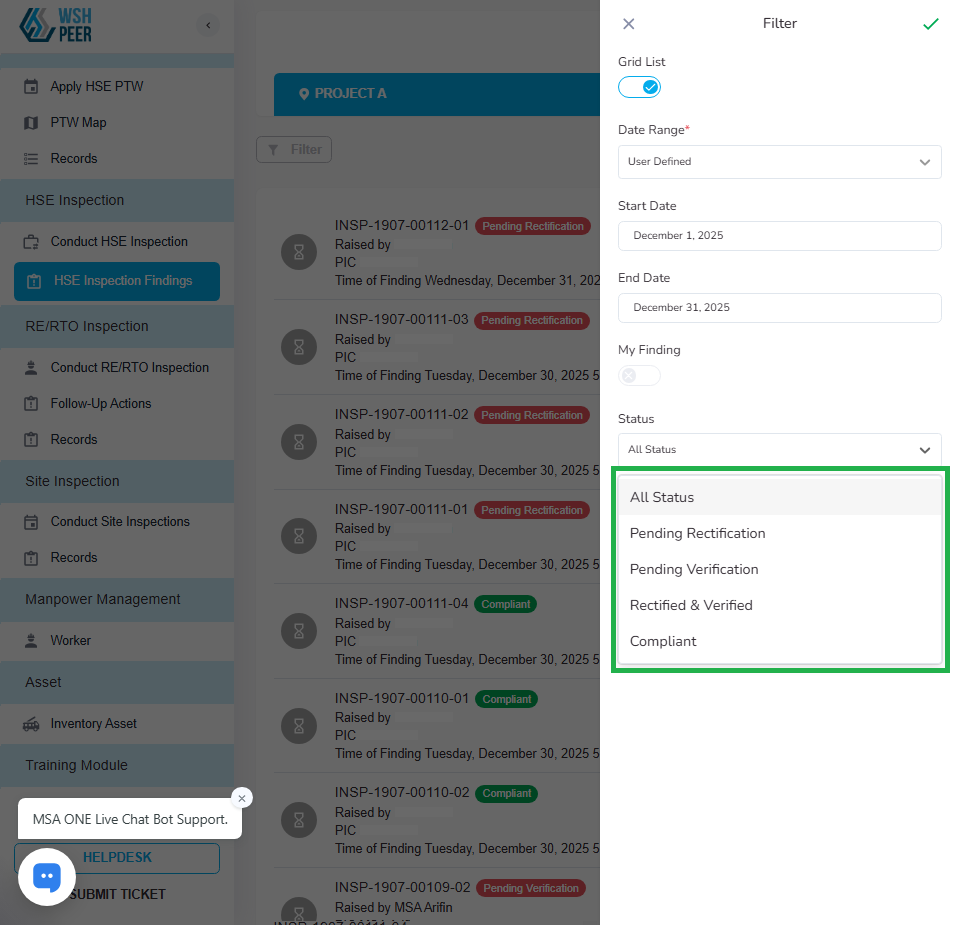
HSE Inspection Findings: Adjusted filter options list
Rearrange the filter options, especially in the Status and Severity sections
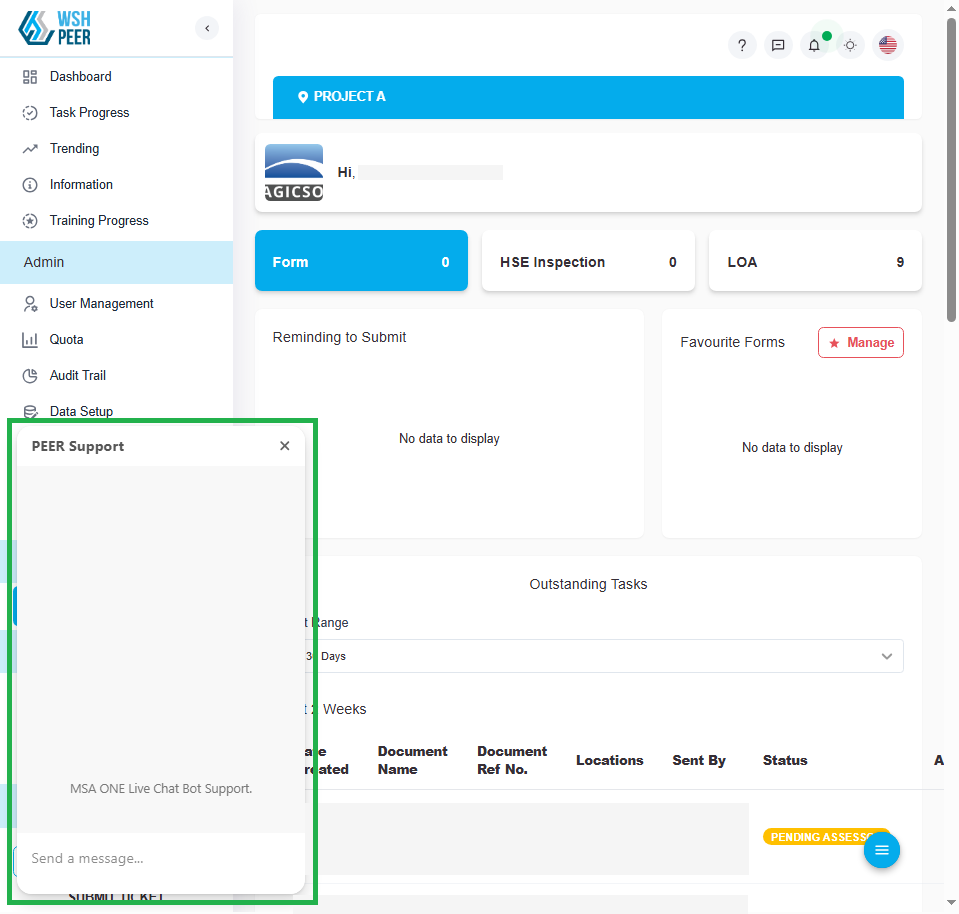
Chatbot: Fixed issue where the Chatbot did not appear after login
Previously, the chatbot feature was not accessible after login. This update resolves the issue.
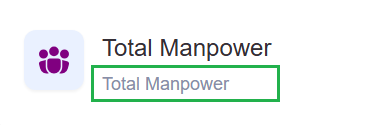
Quota: Updated incorrect Total Manpower details
Corrected a typo in the Total Manpower detail.
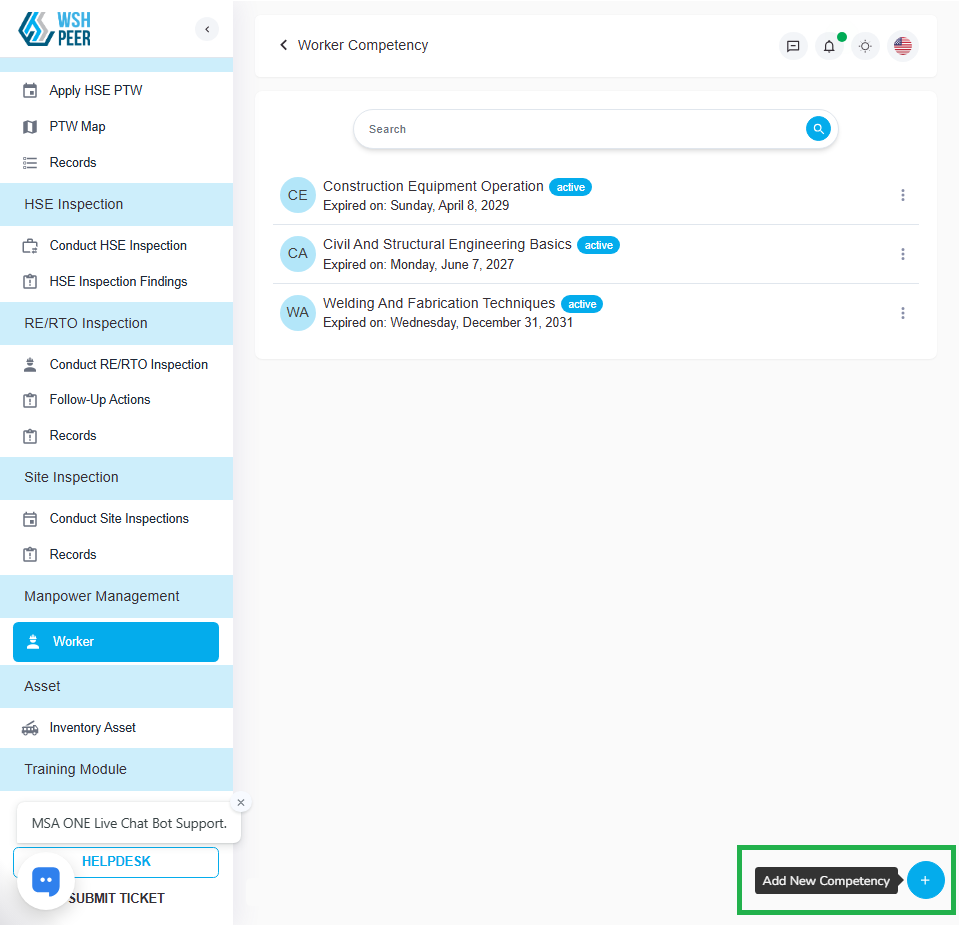
Worker: Resolved error that occurred when adding new certificates
Fixed an issue where certificates were not added to the list even after clicking Save.
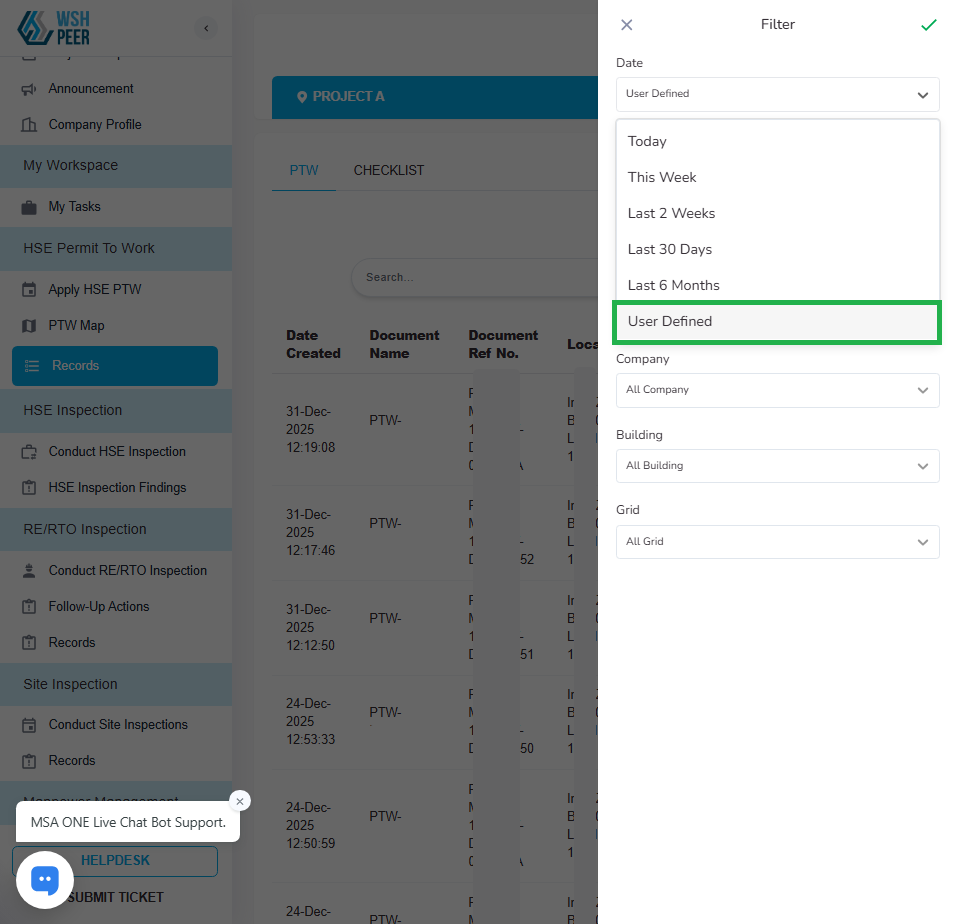
PTW: Fixed issue with the ‘User Defined’ date filter in PTW and Checklist Records
Fixed an issue where the User Defined filter displayed incorrect data.
Release Notes v1.52.0
Feature Enhancements
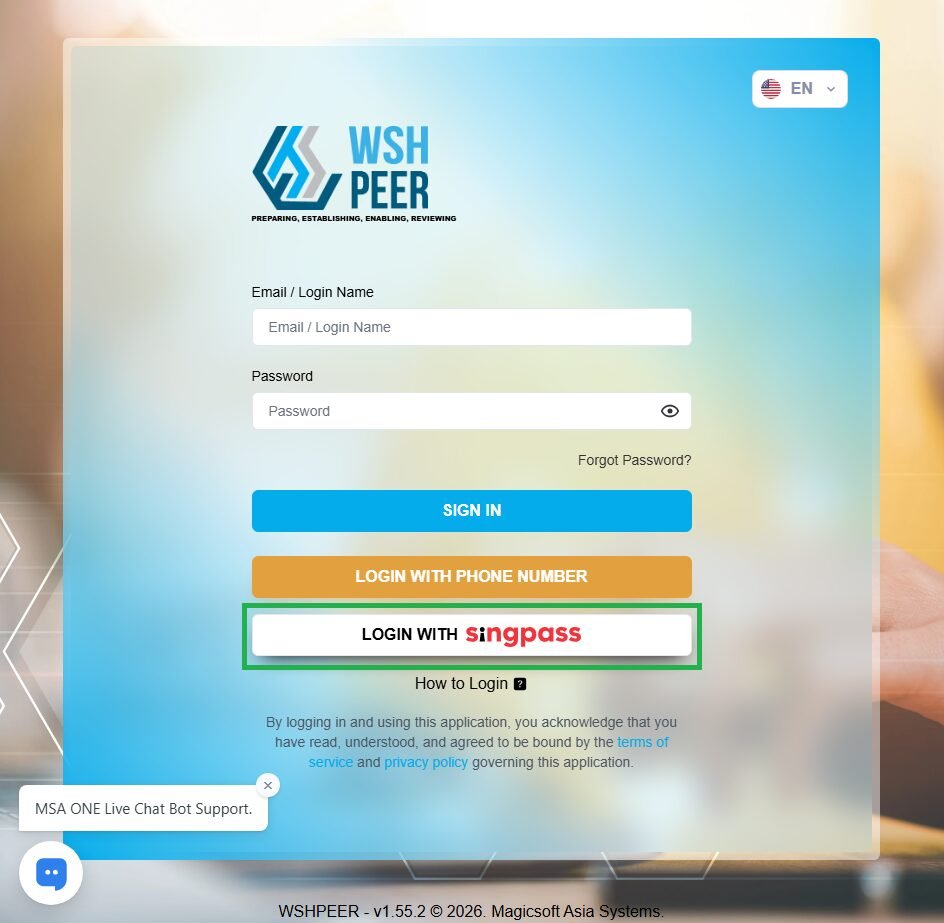
PEER: Added Singpass logo on the login page
Added the Singpass logo to the ‘Login with Singpass’ button on the Login page.
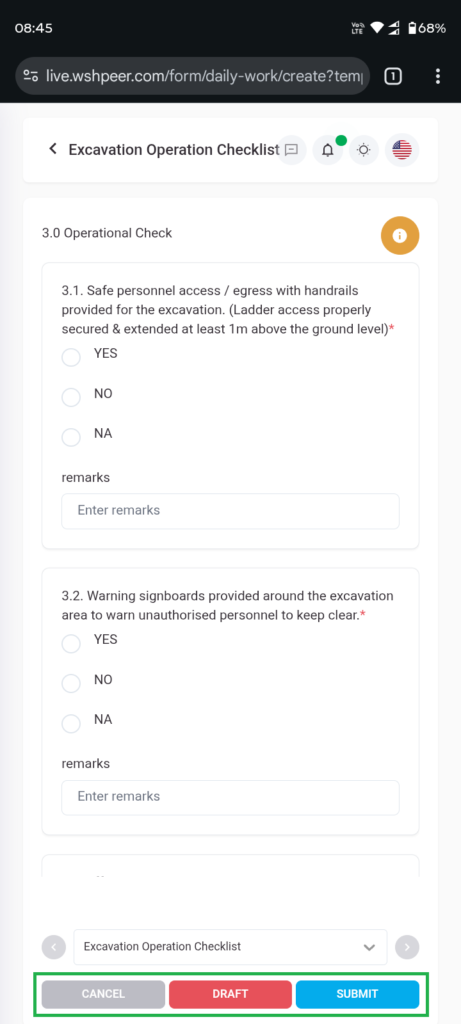
PEER: Improved button usability on the Form page
In previous versions of PEER on mobile view, action buttons such as Submit, Draft, and Cancel were hidden under the three-dots menu. This update allows users to access these action buttons directly without opening the three-dots menu
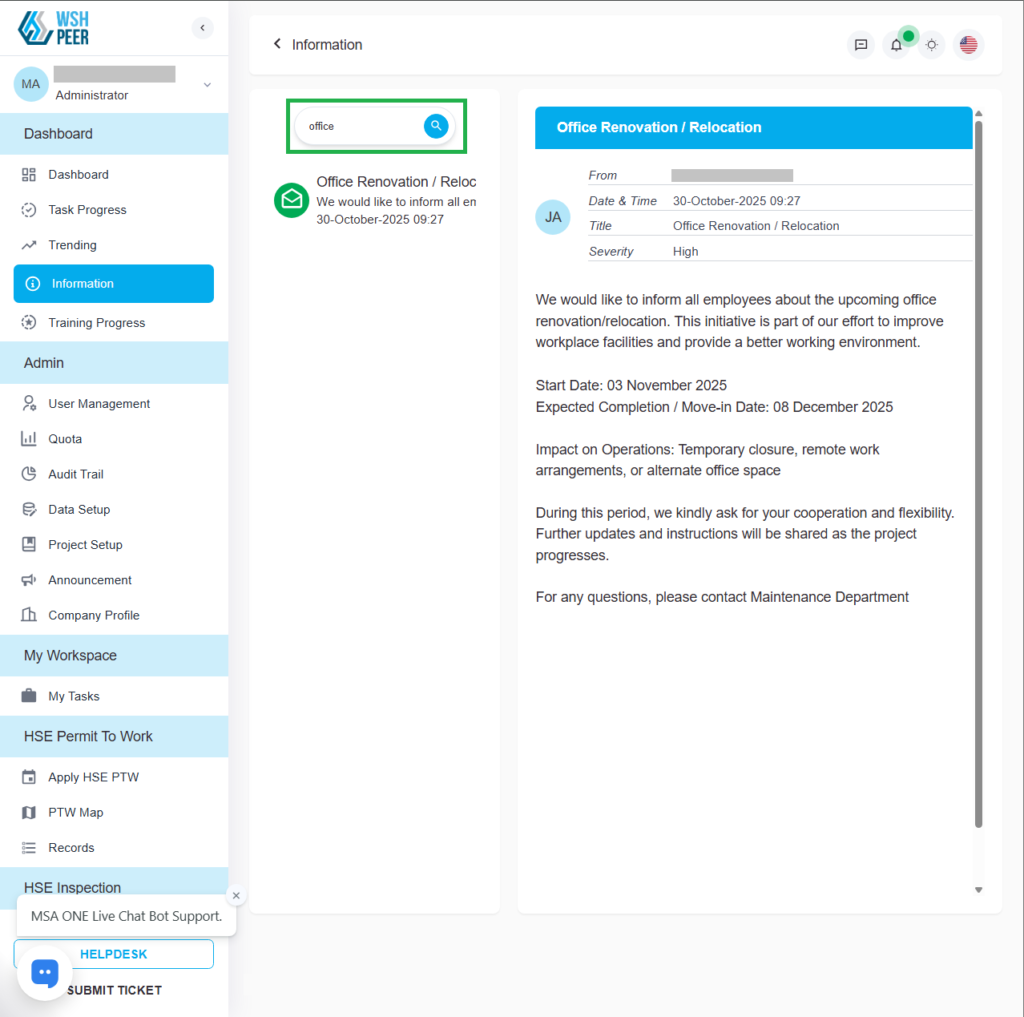
Announcement: Updated search field behavior on the Information page
This update improves the usability of the search feature on the Information page.
Bug Fixes
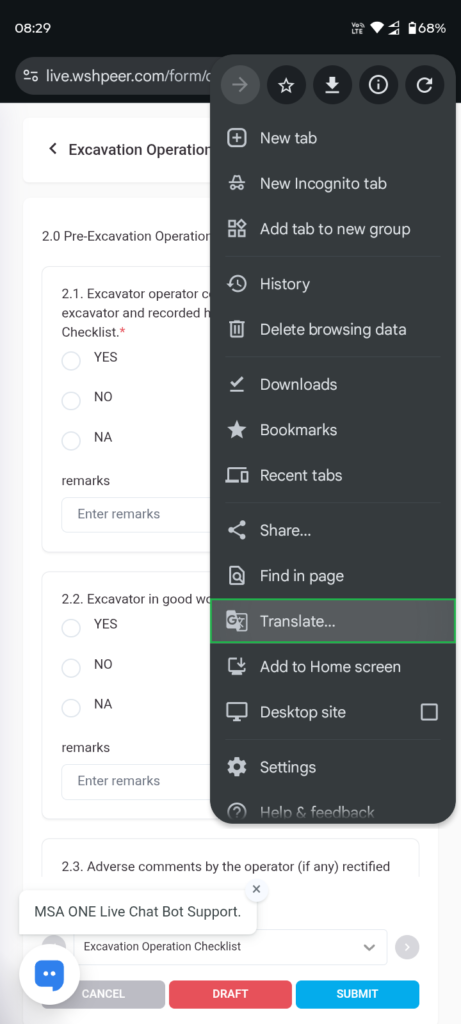
PEER: Resolved translation issues for local form views
Fixed an issue that caused errors when users used the Google Translate feature in PEER
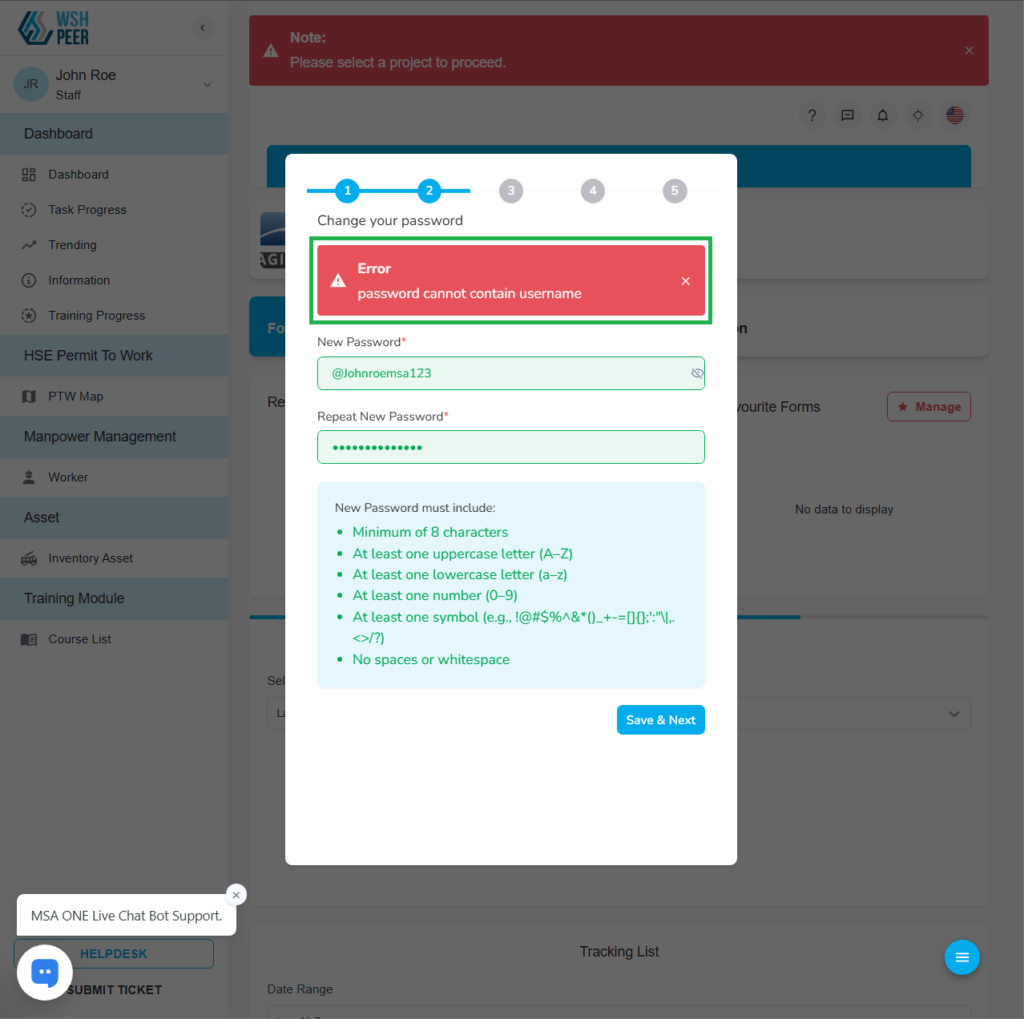
Wizard: Fixed incorrect alert message for the “Password cannot contain username” validation in the User Setup Wizard
By default, PEER rejects passwords that include any word from the username (for security purposes).
However, the alert in the user setup wizard incorrectly shows “object Object”, which causes confusion for users.
The alert message has been updated to provide clearer guidance for users.
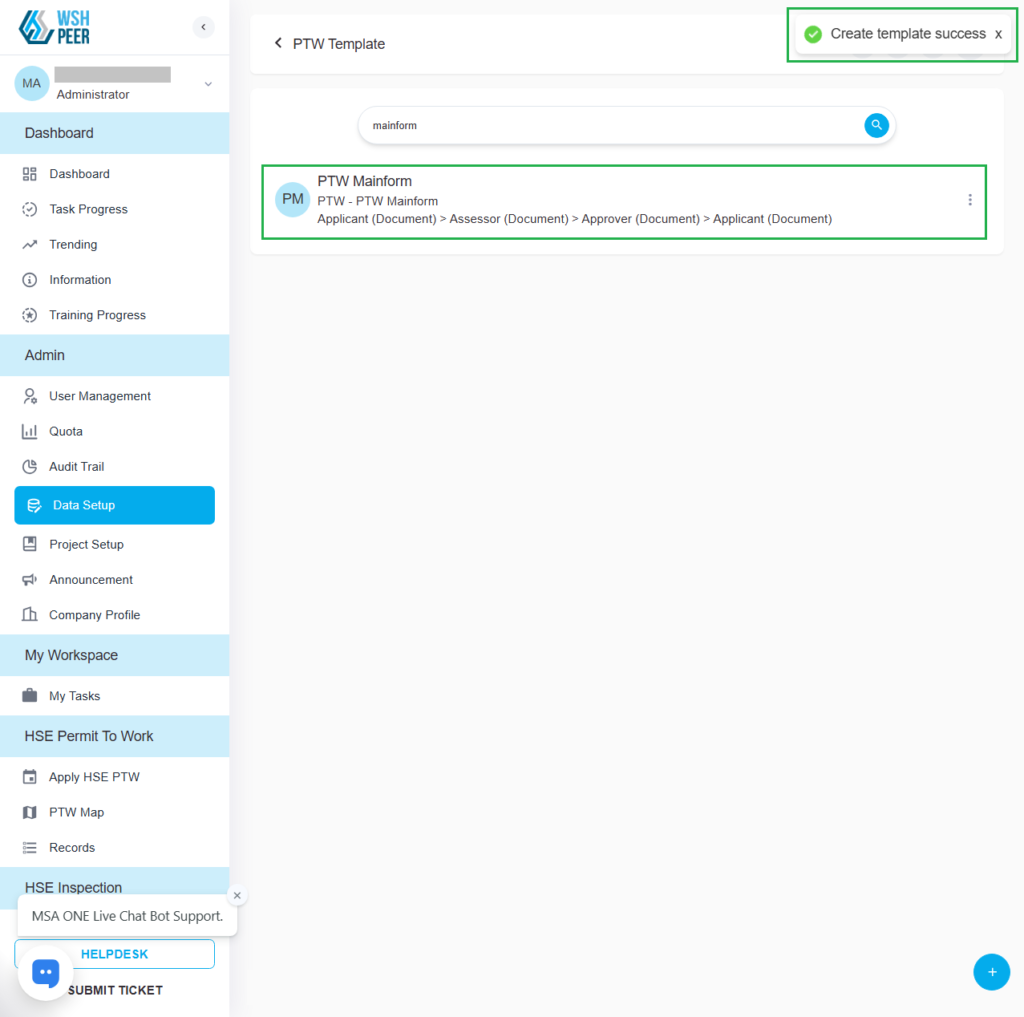
PTW: Fixed issue where new templates were not appearing in the PTW Template list
After creating a new PTW template, it was not displayed in the list. This update resolves the issue.
Release Notes v1.54.0
Feature Enhancements
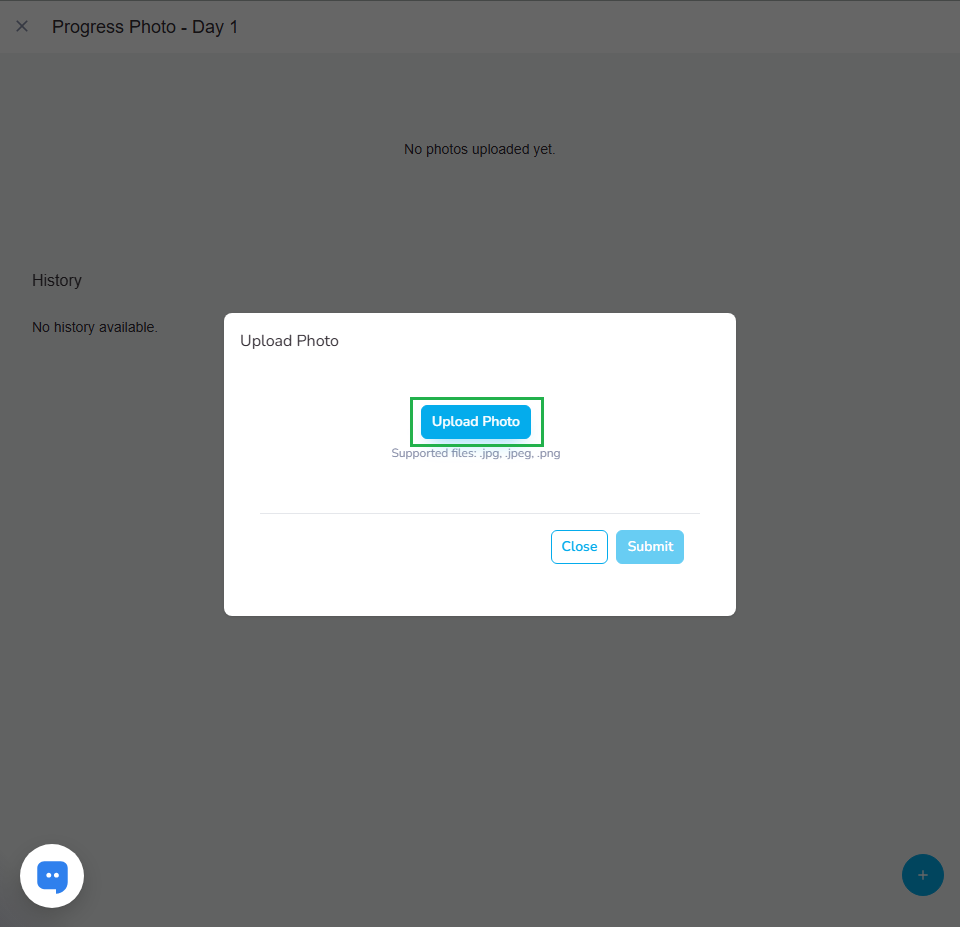
PTW: Enabled multiple image uploads for Progress Photos
In previous versions of PEER, users could only upload one photo at a time in the Progress Photo section of a PTW Plan. This update allows users to upload multiple photos at once and add details to each photo.
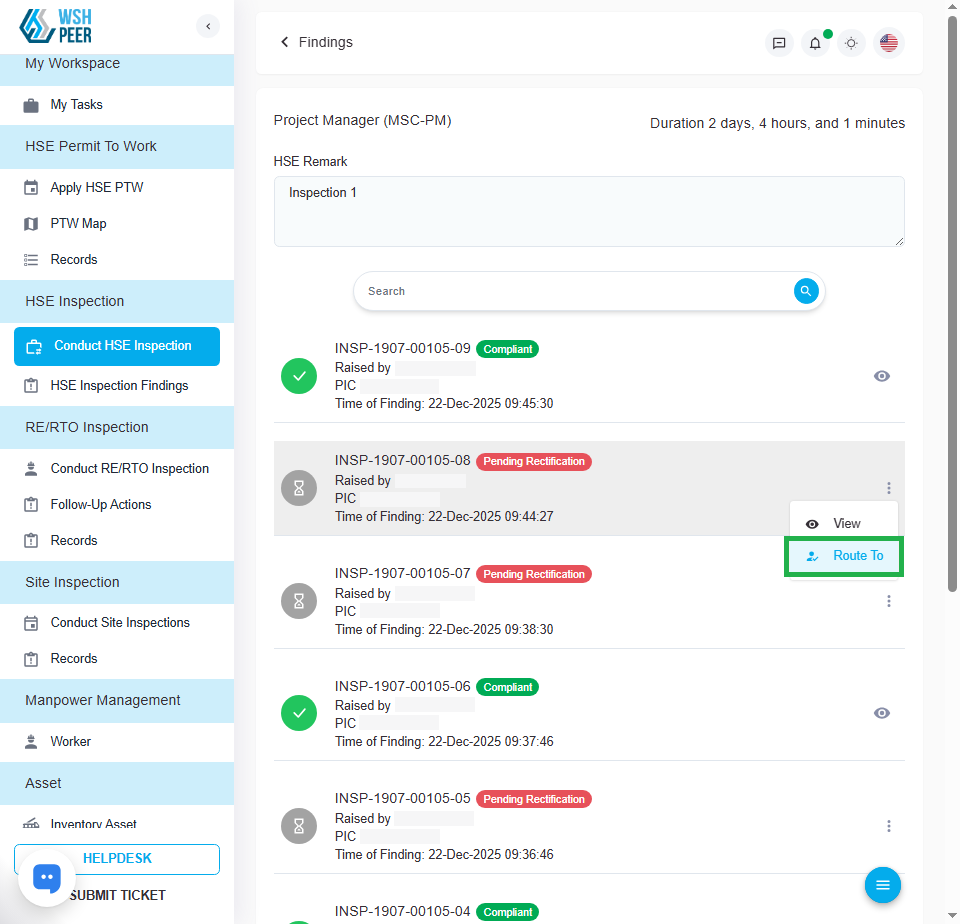
HSE Inspection: Added ‘Route To’ feature in the HSE Inspection module
Added the ‘Route To’ feature in HSE Inspection, allowing Inspectors to change the PIC for each finding, with the following conditions:
- Only the Inspector who raised the finding can reassign the PIC.
- PIC reassignment is only allowed when the finding status is “Pending Rectification” or “Pending Verification”.
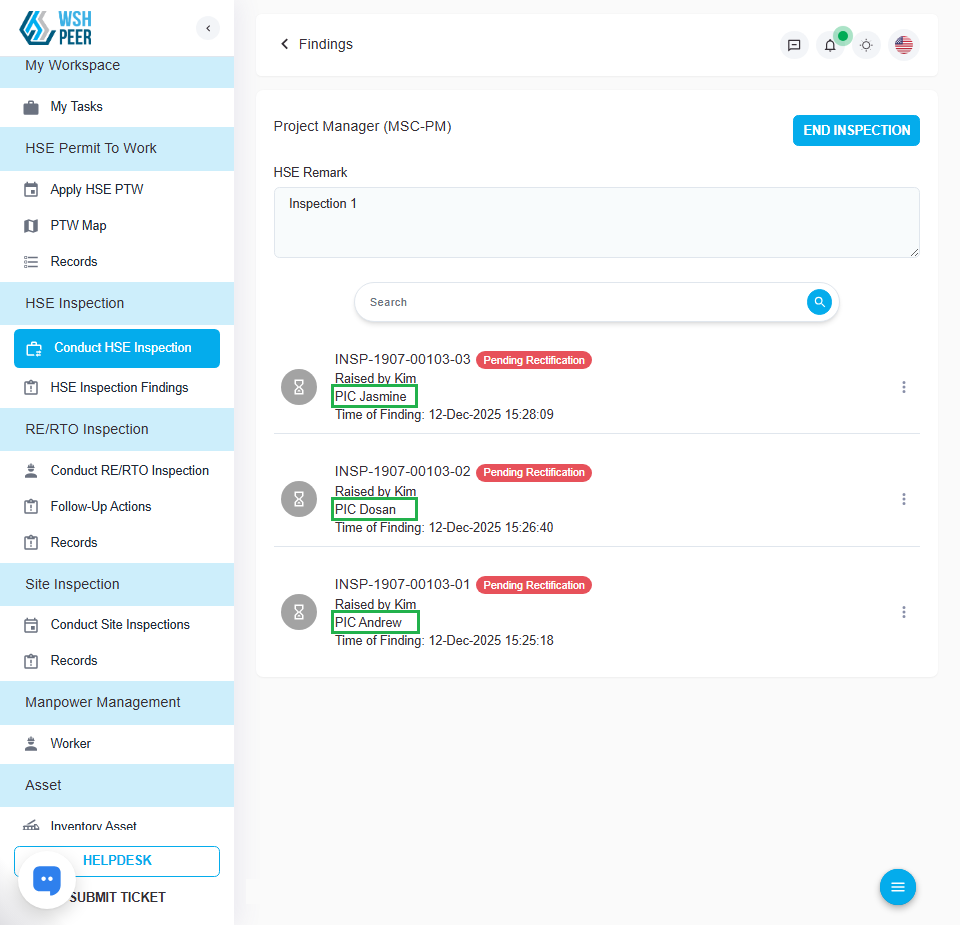
HSE Inspection: Added PIC Name to the Findings list
Added the PIC name to the findings list on the Conduct HSE Inspection page, allowing users identify the responsible PIC without opening the finding details.
Bug Fixes
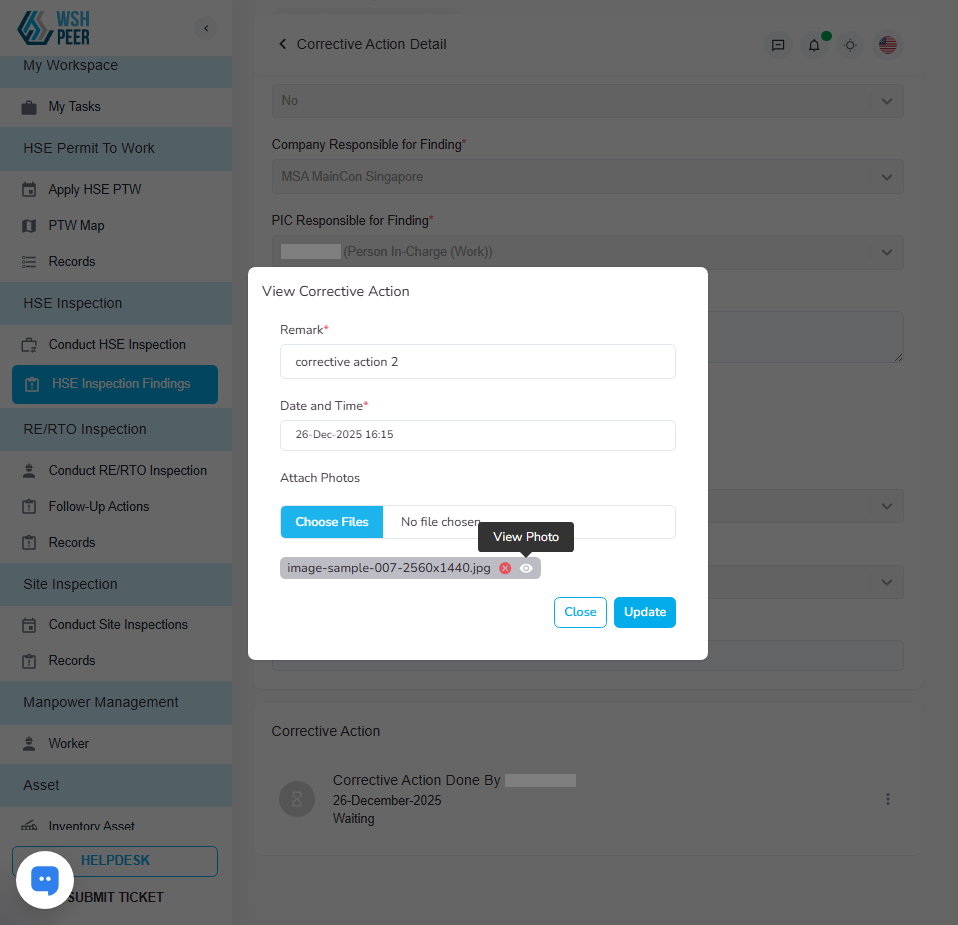
HSE Inspection: Fixed View Image button triggering Correction Action submission
Resolved an issue where previewing an uploaded image caused the Corrective Action draft to be submitted automatically.
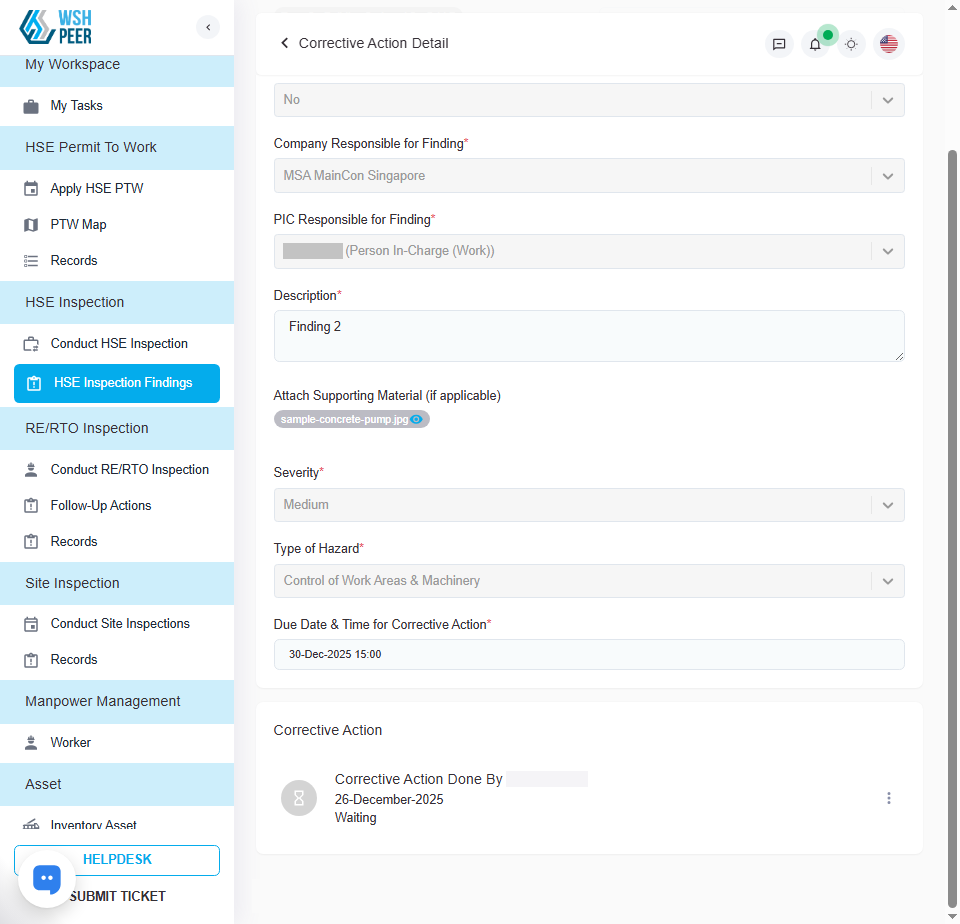
HSE Inspection: Fixed incorrect PIC name displayed on the Corrective Action Detail page
The PIC name displayed on the Corrective Action Detail page was incorrect. This update fixes the issue and now displays the correct PIC name.
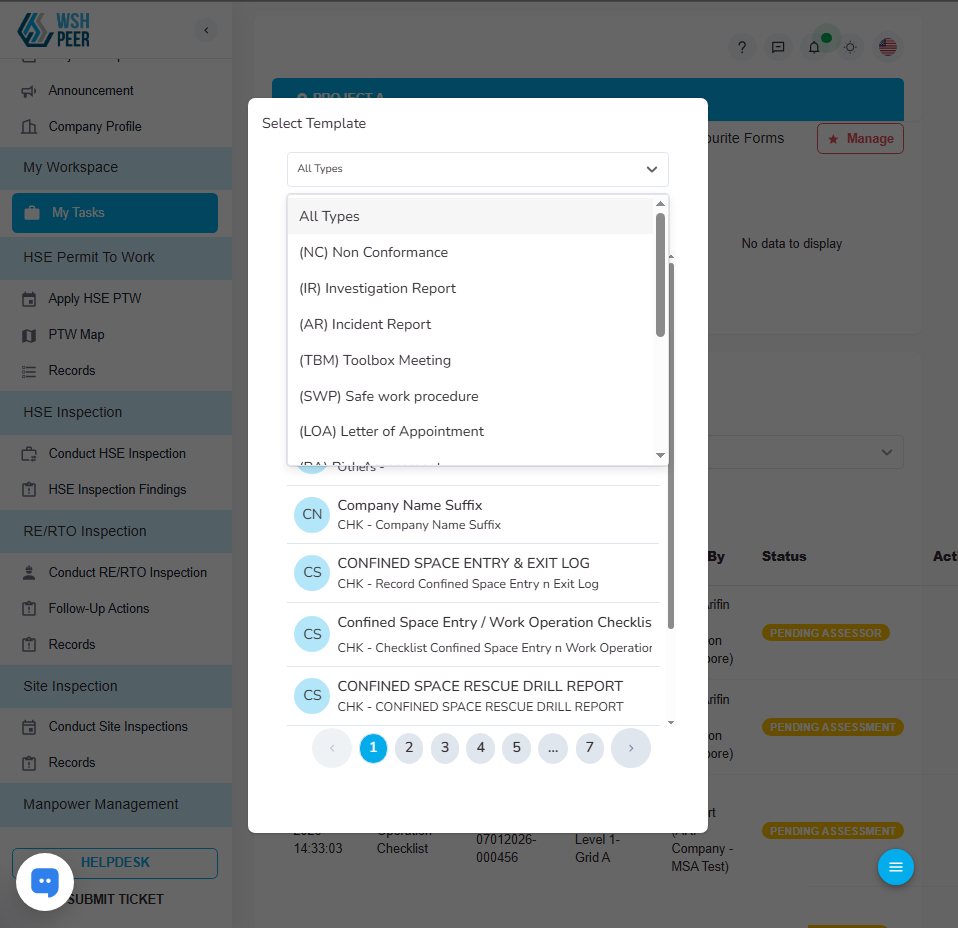
PTW: Removed PTW option from the Apply Form section in My Tasks
Removed the “PTW Form” from the Apply Form menu on the My Tasks page to prevent submission without a PTW Plan.
Release Notes v1.54.0-1
Feature Enhancements
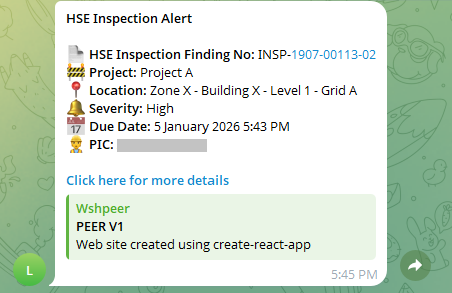
HSE Inspection: Enabled Telegram notification for Findings due dates
When the finding reaches its due date, a notification will be sent to the PIC via Telegram to remind them to perform the Corrective Action. A follow-up notification will be sent once if no Corrective Action has been taken.
The interval for the second (follow-up) notification depends on the finding severity, as follows:
- High Severity: 24 hours after the first notification
- Medium Severity: 48 hours after the first notification
- Low Severity: 72 hours after the first notification
Note:
Low, Medium, and High are default severity levels.
Findings with custom (non-default) severity will receive only one notification, sent when the due date is reached.
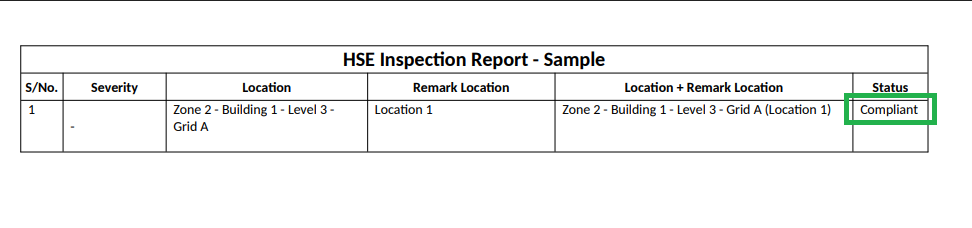
HSE Inspection: Updated printout for Findings with Compliant status
Previously, the status column was not displayed for findings with a Compliant status in the printout. This update adds the Compliant status to the status column
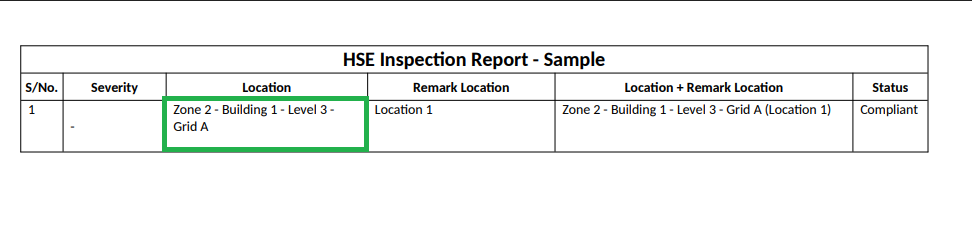
HSE Inspection: Updated Location information displayed in the printout
In previous versions of PEER, the location displayed on the printout was limited to the zone only. Now, complete information is displayed on the printout, including the zone, building, level, and grid.
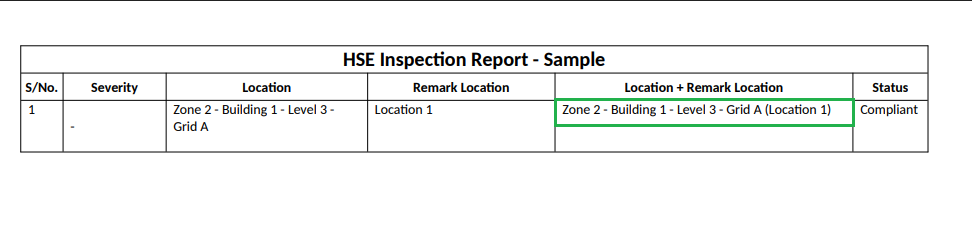
HSE Inspection: Added support for displaying Location with remarks in the printout
Added a new capability to display “Location” and “Location Remarks” in a single section in the HSE Inspection Report printout.
Moving Forward
This December update reflects our ongoing focus on:
Improving operational efficiency
Strengthening safety accountability
Enhancing data accuracy and system reliability
We encourage all clients to explore these new features and improvements to maximize the value of the PEER platform.
If you have any questions or would like guidance on using the new features, please feel free to contact our support team.
Thank you for continuing to trust PEER as your digital safety management partner.